11
How to Trace an IP Address From an Email Header (And What It Can’t Tell You)
Email headers reveal the servers a message passed through, not the sender’s location. Learn to read Received headers, check SPF and DKIM, and spot a forged sender.
How to Trace an IP Address From an Email Header
Every email carries a hidden record of its journey. Buried behind the subject line and the sender name is a block of technical headers listing each mail server the message passed through, in order, with timestamps and IP addresses.
Reading that record is a genuinely useful skill. It tells you whether a message really came from the company it claims, whether the sending domain authorised it, and whether the “from” address has been forged.
What it will not tell you is where a person is sitting. That expectation is the reason most people go looking, and it is worth settling before you start.
What an Email Header Can and Cannot Tell You
It can tell you: which mail servers handled the message, in what order, at what times; the IP address of the server that handed the message to your provider; whether the sending domain passed SPF, DKIM, and DMARC authentication; the real return path, which often differs from the display name; and the hosting provider or network behind the sending infrastructure.
It cannot tell you: the sender’s home address, their name, their device, or in most cases even their city.
The reason is simple. When someone sends mail from Gmail, Outlook.com, Yahoo, or any modern webmail service, the message leaves from the provider’s data centre, not from their computer. The IP you find belongs to Google or Microsoft. Gmail stopped including the sender’s originating IP in 2011, and the other major providers followed. If the message came from a webmail account, the trail ends at the provider — and only that provider, under legal process, can go further.
Where header analysis genuinely pays off is in the opposite direction: proving a message is not from who it claims. That is where most of the real-world value sits.
How to Find the Full Headers
The headers are hidden by default in every mail client. How to reveal them:
- Gmail (web) — open the message, click the three dots beside Reply, choose Show original
- Outlook (web) — open the message, click the three dots, View → View message source
- Outlook (desktop) — open the message in its own window, File → Properties, read the Internet headers box
- Apple Mail — View → Message → All Headers
- Thunderbird — View → Headers → All, or press Ctrl+U
- Yahoo Mail — three dots above the message, View raw message
Copy the whole block. You want everything from the first Received: line down to the subject.
Read Headers From the Bottom Up
This is the part that trips people up. Each server that touches a message prepends its own Received: line to the top of the header block. So the oldest entry — the origin — sits at the bottom, and the most recent — your own provider — sits at the top.
A simplified chain looks like this:
Received: by mx.yourprovider.com ... for <you@example.com>;
          Tue, 7 Oct 2026 14:22:09 +0000
Received: from mail-sor-f41.google.com (mail-sor-f41.google.com [209.85.220.41])
          by mx.yourprovider.com ... ;
          Tue, 7 Oct 2026 14:22:07 +0000
Received: by mail-sor-f41.google.com with SMTP id ...;
          Tue, 7 Oct 2026 14:22:06 +0000
Read from the bottom: the message originated inside Google’s infrastructure, left via mail-sor-f41.google.com at 209.85.220.41, and arrived at your provider two seconds later.
Which IP actually matters
The one you want is in the lowest Received: line that you can trust — typically the first external server that handed the message to a system you control or recognise.
Lines below that point can be forged. A spammer can write any Received: headers they like into a message before sending it; what they cannot forge is what your own mail server records on arrival. So trust the top entries absolutely, trust the handover point reasonably, and treat anything below it as a claim rather than a fact.
Looking Up the IP You Found
Once you have the IP, run it through an IP information lookup. You will get the network owner, the ASN, the hosting provider, and an approximate registered location.
Interpret the result carefully. Geolocation comes from registration records held by regional internet registries, not from GPS. It is often accurate to the country, frequently accurate to the city, and sometimes badly wrong — a provider may register an entire block at its head office while the servers sit elsewhere. The location of a data centre is not the location of a person in any case.
What the lookup is genuinely good for is the provider. An email claiming to be from a major bank that left a residential broadband connection in another country, or a bulk-hosting provider known for throwaway servers, tells you something immediately. A message that left Microsoft’s infrastructure and claims to be from a company using Microsoft 365 is consistent.
For the domain side of the picture, a WHOIS lookup shows when the sending domain was registered. A domain created eleven days ago, sending invoices in the name of a twenty-year-old company, is the whole answer.
The Headers That Matter More Than the IP
For most practical purposes — deciding whether a message is legitimate — three authentication headers beat the IP trail outright.
Authentication-Results
Your provider writes this line after checking the message. It is the fastest read in the entire header block:
Authentication-Results: mx.yourprovider.com;
       spf=pass smtp.mailfrom=paypal.com;
       dkim=pass header.d=paypal.com;
       dmarc=pass header.from=paypal.com
Three passes mean the domain owner authorised this message and it was not altered in transit. Now compare it with a forged one:
Authentication-Results: mx.yourprovider.com;
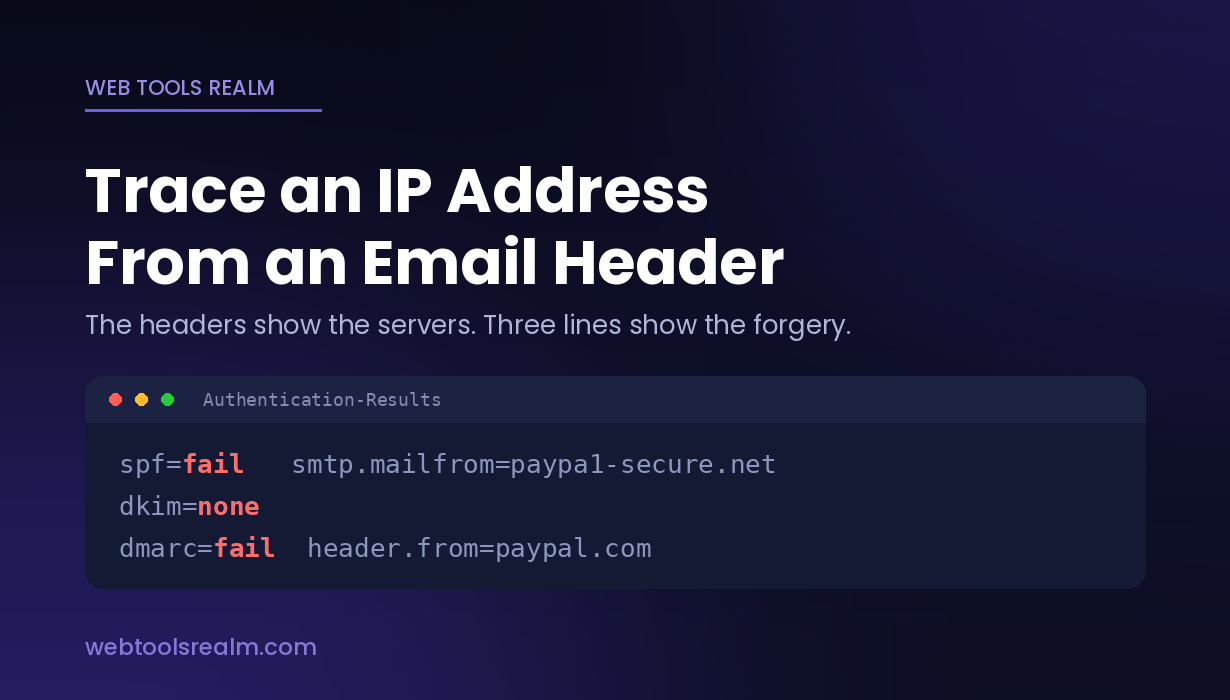
       spf=fail smtp.mailfrom=paypa1-secure.net;
       dkim=none;
       dmarc=fail header.from=paypal.com
spf=fail, dkim=none, and an smtp.mailfrom domain that is not the claimed domain. That is a forgery, confirmed in one line, and no IP tracing was needed.
Return-Path and Reply-To
The From: line is cosmetic — anyone can type anything into it. Return-Path: holds the envelope sender, where bounces actually go, and Reply-To: holds where your reply actually goes.
When From: says billing@microsoft.com but Return-Path: says bounce@mail-blast-472.xyz and Reply-To: points at a Gmail address, the mismatch is the finding. This is the single most common tell in business email compromise, and it sits in plain text.
Received-SPF
A standalone version of the SPF result, showing whether the sending server was on the domain’s authorised list:
Received-SPF: fail (domain of example.com does not designate
              198.51.100.77 as permitted sender)
SPF works through a DNS TXT record on the sending domain. You can check any domain’s policy yourself with a DNS lookup — request the TXT records and look for the entry beginning v=spf1.
What X-Originating-IP Is, and Why It Is Usually Missing
Older systems added an X-Originating-IP: header holding the IP of the client that submitted the message. Some corporate mail servers and a few smaller providers still do.
Where present, it genuinely is the sender’s connection IP. Where absent — which is almost everywhere in consumer email now — it was removed deliberately for privacy. Hotmail dropped it in 2013, Gmail years earlier.
Treat its presence as a bonus, never as something to go hunting for. And treat any value you find with suspicion if the rest of the headers show authentication failures, because a header that one system can add, another can forge.
A Practical Order for Checking a Suspicious Email
- Open the full headers
- Read Authentication-Results first — if SPF, DKIM, and DMARC all pass for the claimed domain, the message is almost certainly genuine, and you can stop
- If anything failed, compare From: against Return-Path: and Reply-To: and note any mismatch
- Read the Received: chain from the bottom and find the first external handover
- Run that IP through an IP lookup and ask whether the network fits the claimed sender
- Run the sending domain through WHOIS and check its age
- Report and delete — do not reply, and do not click anything in the message
If you want to know what your own connection presents to the outside world while testing any of this, what is my IP shows the public address your traffic carries.
Frequently Asked Questions
Can I find someone’s exact location from an email header?
No. The IP in the headers belongs to a mail server, not a person, and for webmail that server sits in a provider’s data centre. Even where a residential IP appears, geolocation resolves to a city or region from registry records, never to an address. Only the internet service provider can link an IP to a subscriber, and only under legal process.
Why does the IP in the header belong to Google or Microsoft?
Because the message was sent through their service. The mail left their servers, so their IP is what the receiving system recorded. Gmail stopped exposing the sender’s own IP in 2011, and other major providers did the same.
Which Received line is the real sender?
Read from the bottom up, and trust the lowest line that was written by a server you recognise or control. Lines below that can be fabricated by the sender before the message was ever transmitted.
What does spf=fail actually mean?
The sending server was not on the list of servers the domain owner authorised in their DNS records. On a message claiming to be from a large organisation, a failure is a strong signal of forgery — those organisations publish strict SPF policies precisely to make impersonation detectable.
The headers look legitimate, but the email still seems suspicious. Now what?
Authentication passing only proves the domain that sent it authorised the message. A scammer who registers micros0ft-billing.com and configures it properly will pass SPF, DKIM, and DMARC — for their own domain. Check the domain character by character, and check its registration age in WHOIS. A domain registered last month is the answer regardless of what the authentication says.
The Short Version
Headers trace servers, not people — for webmail the trail stops at the provider’s data centre by design. The faster answer is Authentication-Results: three passes means genuine, an SPF or DMARC failure means forged, and a From that disagrees with Return-Path means forged regardless of anything else. Check the sending domain’s age before you check its IP.
Written by Baleeghuddin Shaikh, SEO consultant with 8 years of experience in technical SEO and site diagnostics.
Contact
Missing something?
Feel free to request missing tools or give some feedback using our contact form.
Contact Us