08
Connection Refused vs Connection Timed Out — What Each Error Means
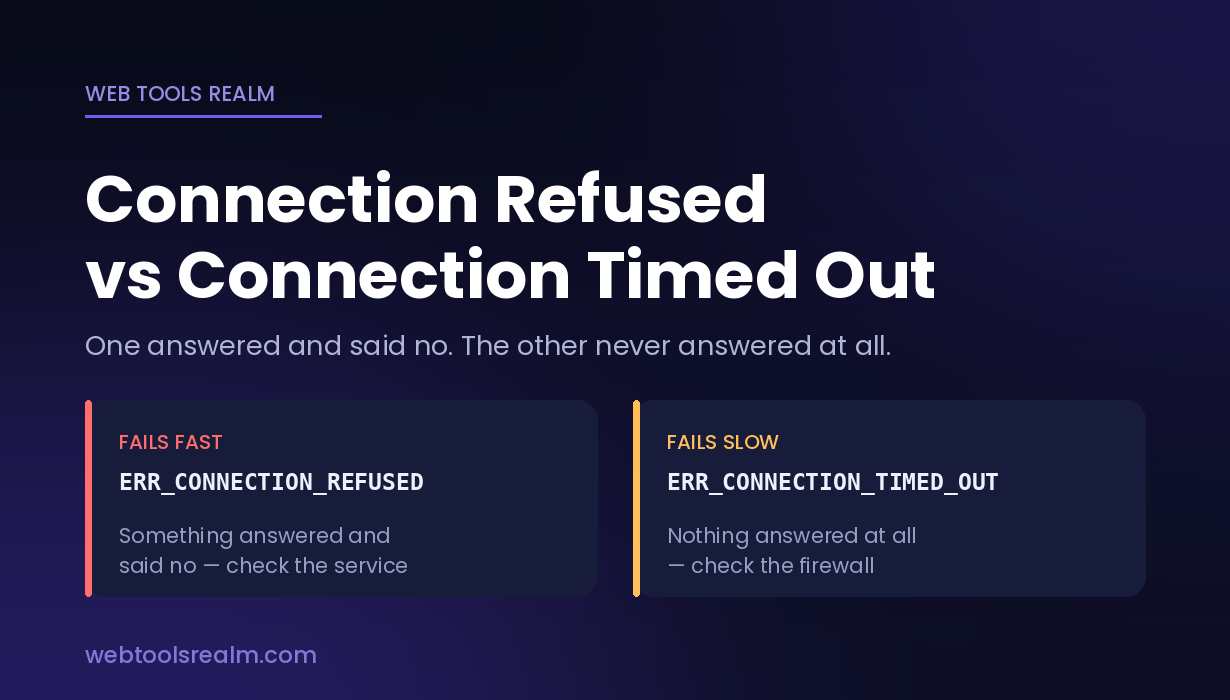
Connection refused means the server answered and said no. Connection timed out means nothing answered at all. Learn what causes each and how to tell them apart.
Two of the most common networking errors look similar on the surface — in both cases, you cannot reach the server. But they are opposites, and knowing which one you are looking at tells you where the problem is before you touch anything.
Connection refused means something answered you and said no.
Connection timed out means nothing answered at all.
That single distinction narrows the cause from dozens of possibilities down to two or three.
How a TCP Connection Actually Starts
Every connection to a port begins with a three-step handshake. Your machine sends a SYN packet — a request to open a conversation. The server replies with SYN-ACK, meaning it accepts. Your machine sends ACK, and the connection is established.
What you see when it fails depends on where that handshake broke:
- The server sends back an RST packet (reset) → connection refused
- Nothing comes back at all, and your machine eventually gives up → connection timed out
An RST is an active reply. It means your packet reached a real machine, that machine processed it, and it deliberately rejected the request. A timeout means your packet vanished somewhere along the route and no reply ever arrived.
Connection Refused — The Server Answered and Said No
You will see this as:
- ERR_CONNECTION_REFUSED in Chrome and Edge
- curl: (7) Failed to connect to example.com port 443: Connection refused
- telnet: Unable to connect to remote host: Connection refused
- ssh: connect to host 203.0.113.5 port 22: Connection refused
What causes it
No service is listening on that port. This is the most common cause by a wide margin. The host is up and reachable, but nothing is bound to the port you asked for. Apache or Nginx crashed, MySQL never started, your Node app exited, or you are simply connecting to the wrong port number.
The service is listening on the wrong interface. A service bound to 127.0.0.1 accepts connections only from the machine itself. From anywhere else, those connections get refused. To accept outside traffic, the service must bind to 0.0.0.0 or to the server's actual IP. This one catches people constantly during development, because everything works locally and fails the moment someone else tries.
A firewall is set to REJECT rather than DROP. Firewall rules can dispose of unwanted packets two ways. REJECT sends an RST back, which produces "connection refused." DROP silently discards the packet, which produces a timeout. Most server firewalls use DROP; many home routers and corporate appliances use REJECT.
The service restarted at the wrong moment. If you connected during a deployment or a restart, the port was briefly unbound. Try again before you investigate further.
How to check it
Confirm the host itself is alive with a ping test. If ping replies but the port refuses, the machine is fine, and the problem is the service. Then run an open port check against the port to confirm the refusal from outside your own network — this rules out your local firewall or ISP as the cause.
On the server itself, ss -tlnp (or netstat -tlnp on older systems) lists every port currently being listened on and which process owns it. If your port is absent from that list, nothing is running. If it appears as 127.0.0.1:3306 rather than 0.0.0.0:3306, you have found the bind-address problem.
Connection Timed Out — Nothing Answered at All
You will see this as:
- ERR_CONNECTION_TIMED_OUT in Chrome and Edge
- curl: (28) Failed to connect to example.com port 443 after 130000 ms: Connection timed out
- ssh: connect to host 203.0.113.5 port 22: Operation timed out
- A browser tab that spins for thirty seconds before giving up
What causes it
A firewall is silently dropping your packets. This is the single most common cause. Cloud providers call these security groups (AWS), firewall rules (Google Cloud), or network security groups (Azure). Your packet arrives, the rule matches, the packet is discarded, and nothing is sent back. Your machine waits for a reply that will never come.
Port forwarding is missing or wrong. When the service sits behind a router doing NAT, traffic arriving at the public IP has to be forwarded to the internal machine. Without that rule, packets reach the router and stop there.
The host is not reachable at all. The machine is powered off, the IP address no longer points at it, or it has moved. A dynamic IP that changed overnight is a common culprit — and if the address was in a whitelist somewhere, that whitelist is now pointing at a stranger.
Your ISP blocks the port. Residential providers frequently block port 25 (SMTP) to limit spam, and sometimes 80, 443, and 445. The block is usually silent, which produces a timeout rather than a refusal.
Routing is broken somewhere in between. Less common, but real. A traceroute that stops partway through points at this.
How to check it
Start with DNS. If the hostname resolves to an IP you do not recognise, you are timing out against the wrong machine entirely and nothing on the server side needs fixing. DNS errors explained covers what each DNS failure means if the lookup itself is misbehaving.
Then test the port from outside your network with an open port checker. If it times out from an external checker but works from inside the network, the service is running, and a firewall or NAT rule is the problem — not the application.
The Difference at a Glance
- Refused — a reply came back; the host is alive and reachable; the service or its binding is the problem; fails fast, usually under a second
- Timed out — no reply came back; the host may or may not be alive; a firewall, NAT rule, or routing path is the problem; fails slow, typically 20 to 130 seconds
Fails fast means refused. Fails slow means dropped. If you remember nothing else, remember that — the speed of the failure tells you which error you have before you even read the message.
Common Ports and What Usually Goes Wrong
- 22 (SSH) — refused usually means sshd is not running or listens on a non-standard port; timed out usually means a security group never allowed your IP
- 25 (SMTP) — timed out from a home connection is almost always your ISP blocking outbound mail; use port 587 with authentication instead
- 80 / 443 (HTTP / HTTPS) — refused means the web server is down; timed out means the firewall never let you near it. If the port opens but the page still fails, the problem has moved on to the certificate — see SSL certificate errors explained
- 3306 (MySQL) / 5432 (PostgreSQL) — refused is nearly always the bind address, since both ship listening on localhost only
- 3389 (RDP) — timed out is usually the Windows Firewall profile, which blocks by default on public networks
A Practical Order of Checks
- Note whether the failure was fast or slow — this alone splits the problem in half
- Confirm the hostname resolves to the IP you expect with a DNS lookup
- Confirm the host responds with a ping test, keeping in mind that many servers block ICMP, so no reply here is not conclusive
- Test the specific port from outside with an open port checker
- If the port opens but the site still fails, the network layer is fine — move up to the application and run a website status check to see what the server is actually returning
Frequently Asked Questions
Why does connection refused happen instantly but timed out take 30 seconds?
A refusal is an active reply — the RST packet comes back at network speed, so you know immediately. A timeout is the absence of a reply, so your system has to wait out a timer before concluding nothing is coming. That timer is typically 20 to 130 seconds depending on the operating system and the client.
Does connection refused mean the server is down?
No — it usually means the opposite. Something on that machine was awake enough to reject your connection. The host is up; the specific service you asked for is not listening on that specific port.
Why does the port work locally but not from outside?
Almost always the bind address or a firewall. A service bound to 127.0.0.1 accepts only connections originating on the machine itself. Test from an external checker rather than from the server, since testing from the server bypasses every firewall between you and it.
Can my ISP cause connection timed out?
Yes. Residential providers commonly block port 25 outbound, and some block 80, 443, and 445. These blocks are silent, so they appear as timeouts rather than refusals. A port that times out from your home connection but opens from an external checker confirms it.
How do I know if a port is open without any tools?
From a terminal: telnet example.com 443 or nc -zv example.com 443. Both report refused, timed out, or connected. An online port checker does the same thing from outside your network, which is more useful — it tests the path a real visitor takes rather than the path from your own machine.
The Short Version
Fast failures mean refused: something answered and said no, so the host is alive and the service is the problem. Slow failures mean dropped: nothing answered, so a firewall, a NAT rule, or a missing route is swallowing your packets. Check the speed of the failure before you check anything else — it tells you which half of the stack to stop looking at.
Written by Baleeghuddin Shaikh, SEO consultant with 8 years of experience in technical SEO and site diagnostics.
Contact
Missing something?
Feel free to request missing tools or give some feedback using our contact form.
Contact Us