ERR_TOO_MANY_REDIRECTS: What It Means and How to Fix It
ERR_TOO_MANY_REDIRECTS means a page keeps redirecting in a loop. Learn the quick fix for visitors and the 6 real causes site owners need to check.
You click a link, the page starts loading, and then the browser gives up with:
"This page isn't working. example.com redirected you too many times. Try deleting your cookies. ERR_TOO_MANY_REDIRECTS"
Firefox shows the same problem as "The page isn't redirecting properly," and Safari says "Too many redirects occurred trying to open" the page.
What ERR_TOO_MANY_REDIRECTS Means
ERR_TOO_MANY_REDIRECTS means the page is stuck in a redirect loop. URL A sends the browser to URL B, and URL B sends it back to URL A, or the chain goes in a circle through more steps. Browsers stop after about 20 redirects and show this error instead of looping forever.
The server is reachable and responding. The problem is that its redirect rules contradict each other.
Fix It as a Visitor
1. Clear cookies for that site only
A stale cookie can make the site redirect you to a login or language page that redirects back.
Chrome: click the icon to the left of the address bar, then Site settings, then Clear data.
Firefox: click the padlock, then Clear cookies and site data.
Safari: Settings, then Privacy, then Manage Website Data. Search the site and click Remove.
2. Try an incognito or private window
If the page works in incognito, the problem was your cookies or cache. If it fails there too, it's the site.
3. Disable browser extensions
HTTPS-forcing, privacy, or redirect extensions can fight with the site's own redirects. Turn them off and reload.
4. Check the date and time on your device
A wrong system clock can break HTTPS sessions and cause repeated redirects on some sites.
If none of this works, the loop is on the server. Only the site owner can fix it.
Find the Loop (Site Owners)
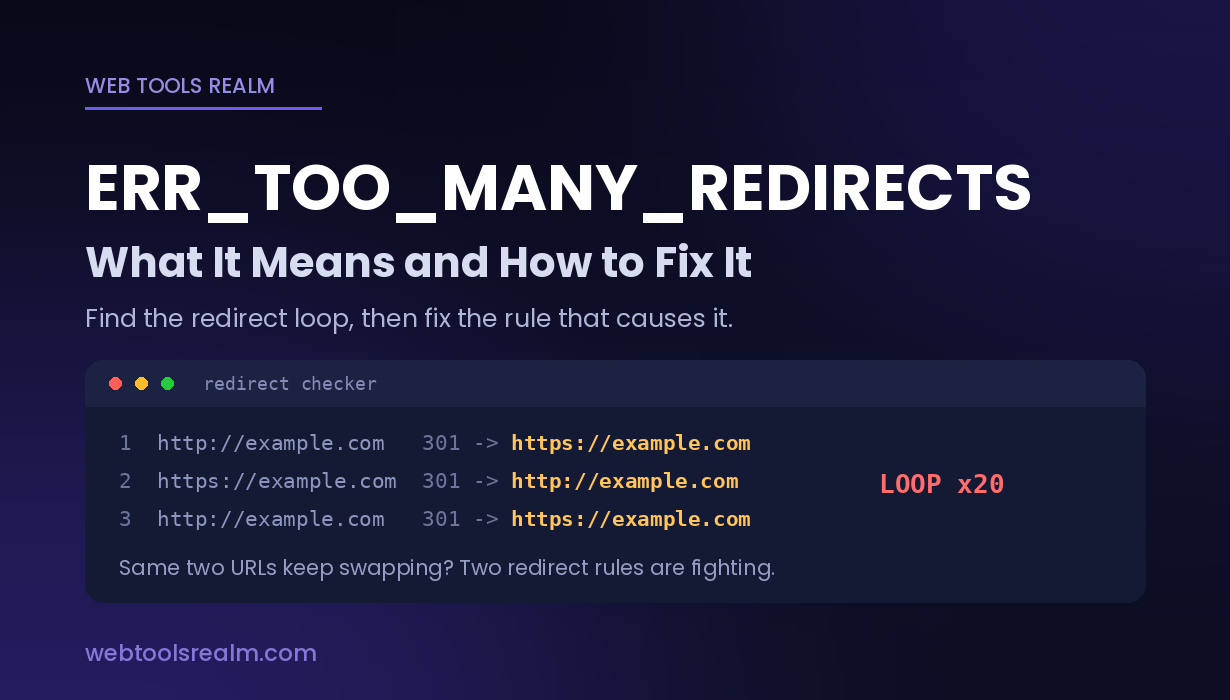
Before changing anything, see exactly where the loop happens. Enter your URL in the Redirect Checker. It lists every hop with its status code, so you'll see a pattern like this:
Hop 1: http://example.com returns 301 to https://example.com
Hop 2: https://example.com returns 301 to http://example.com
Hop 3: http://example.com returns 301 to https://example.com
When the same two URLs keep swapping, you know which rule to look for. In this example, something forces HTTPS and something else forces HTTP.
The 6 Most Common Causes (and Fixes)
1. Cloudflare "Flexible" SSL with an HTTPS redirect on the server
This is the most common cause. In Flexible mode, Cloudflare talks to your server over plain HTTP. Your server sees HTTP and redirects to HTTPS. Cloudflare requests HTTP again, and the loop never ends.
Fix: In Cloudflare, go to SSL/TLS, then Overview, and set the mode to Full or Full (strict). Your server needs a valid certificate for this, which you can confirm with the SSL Checker.
2. Conflicting HTTP and HTTPS rules
Your .htaccess, Nginx config, hosting panel, and CMS can each force HTTPS. If one of them forces HTTP, or redirects based on the wrong signal, they loop.
Fix: keep only one HTTPS redirect. If your hosting panel has a "Force HTTPS" switch, use either that or your own .htaccess rule, not both.
3. www and non-www pointing at each other
One rule sends example.com to www.example.com, and another sends www back to example.com.
Fix: pick one version. Check the CMS site URL, the server config, and the CDN settings, and make all of them agree.
4. Wrong site URL in WordPress
If the WordPress Address and Site Address in Settings> General don't match how the site is actually served (http vs https, www vs non-www), WordPress keeps redirecting to "fix" it.
Fix: If you can't reach the dashboard, add these two lines to wp-config.php with your correct URL:
define('WP_HOME', 'https://example.com');
define('WP_SITEURL', 'https://example.com');
If your site runs behind a proxy or load balancer, WordPress may not know the visitor is on HTTPS. Adding this above the "That's all, stop editing" line fixes it:
if (isset($_SERVER['HTTP_X_FORWARDED_PROTO']) && $_SERVER['HTTP_X_FORWARDED_PROTO'] === 'https') { $_SERVER['HTTPS'] = 'on'; }
5. A plugin or app redirect
Redirect, SSL, security, cache, and language plugins can all create loops, especially after a migration.
Fix: disable plugins temporarily. In WordPress, you can rename the wp-content/plugins folder over FTP, check the site, then rename it back and re-enable plugins one at a time.
6. Old redirects after a migration
After moving domains or changing URL structure, an old rule can point to a URL that now redirects back to the old one.
Fix: list your redirect rules and test each one. Our site migration checklist covers how to plan redirects so this doesn't happen.
After You Fix It
- Run the URL through the Redirect Checker again. You want at most one or two hops ending in a 200.
- Check that permanent moves use 301, not 302. See 301 vs 302 redirects for why it matters for SEO.
- Use the HTTP Status Code Checker to confirm the final page returns 200.
- Clear any cache: your CMS cache, server cache, and CDN cache. Otherwise, visitors may keep seeing the old loop.
Frequently Asked Questions
Is ERR_TOO_MANY_REDIRECTS my fault or the website's?
Usually the website's. If clearing cookies and trying incognito doesn't help, the redirect loop is in the site's configuration, and only the owner can fix it.
How many redirects cause this error?
Chrome and Firefox stop after about 20 redirects in a row. A healthy page needs no more than one or two.
Can ERR_TOO_MANY_REDIRECTS hurt SEO?
Yes. Search engines can't reach a page stuck in a loop, so it can't be indexed, and it may drop out of search results if the loop stays.
Why does the site work on my phone but not my computer?
Different cookies. The loop may depend on a cookie your computer has stored. Clear that site's cookies on the computer, and it usually works again.
Does Cloudflare cause ERR_TOO_MANY_REDIRECTS?
It can, mostly when the SSL mode is set to Flexible while the server also forces HTTPS. Switching to Full or Full (strict) usually fixes it.
The Short Version
If you're a visitor: clear the cookies for that one site, then try an incognito window. If it still fails, the problem is on the website's side.
If it's your site: run the URL through a redirect checker to see the loop, then check the six causes below. The most common one is Cloudflare's "Flexible" SSL mode combined with an HTTPS redirect on the server.
Written by Baleeghuddin Shaikh, SEO consultant with 8 years of experience in technical SEO and site diagnostics.
Contact
Missing something?
Feel free to request missing tools or give some feedback using our contact form.
Contact Us