31
HTTP Status Codes Explained: What 200, 301, 403, 404 and 500 Actually Mean
A practical guide to HTTP status codes — what each one means, which system is failing, and which codes actually affect your SEO.
Every time your browser requests a page, the server responds with a three-digit number before sending anything else. Most of the time you never see it, because the page loads. But when something goes wrong, that number is the most useful piece of information available — and it is far more precise than the error page wrapped around it.
Plenty of sites show a friendly "Oops, something went wrong" message while quietly returning a 500 behind it. The message tells you nothing. The status code tells you which system is failing and who can fix it.
How Status Codes Are Organised
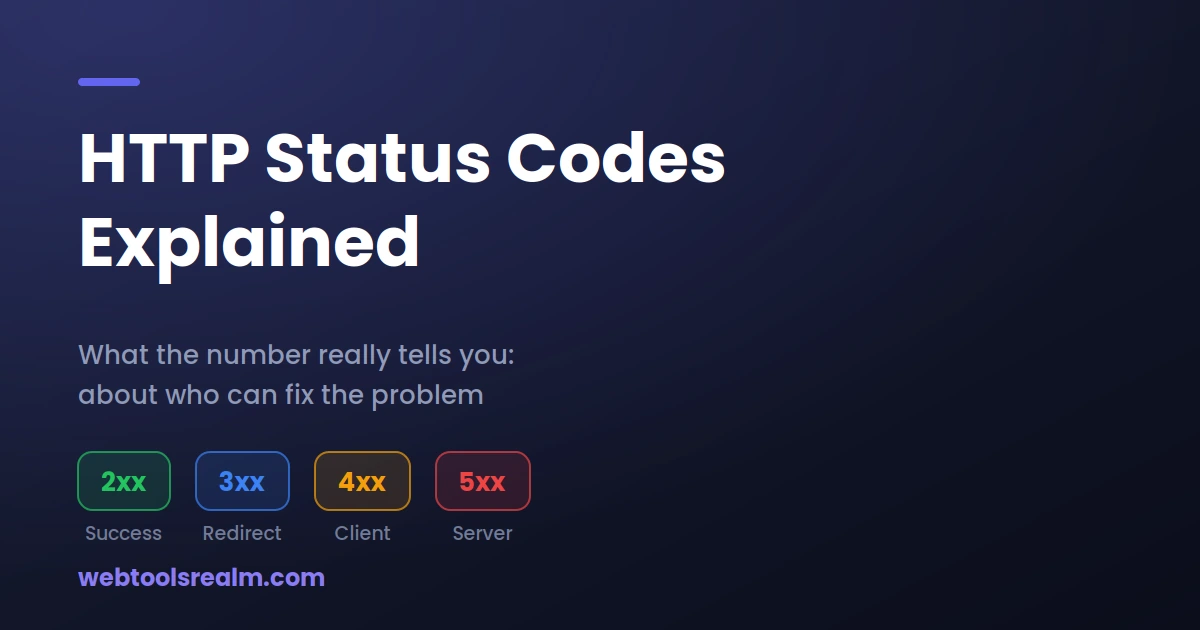
The first digit sets the category, and knowing just that gets you most of the way to a diagnosis:
- 1xx — Informational. The server has received the request and is continuing. You will rarely encounter these directly.
- 2xx — Success. The request worked.
- 3xx — Redirection. What you asked for lives somewhere else.
- 4xx — Client error. Something about the request was wrong — the URL, the credentials, or the permissions.
- 5xx — Server error. The request was fine; the server failed to fulfil it.
That 4xx/5xx split is the one that matters most in practice. A 4xx means the problem is with what was asked for. A 5xx means the problem is with the machine answering. They point to completely different people to fix them.
200 — OK
The request succeeded, and the server returned the content. This is what you want on every page you intend people to find.
The counterintuitive case is when a page looks broken but returns 200. Some content management systems serve a "page not found" message with a 200 status, which is known as a soft 404. Google treats these as real pages and may index them, filling your search results with error messages. If Search Console reports soft 404s, this is why.
301 and 302 — Moved
Both mean the content is at a different URL, but the difference is significant.
A 301 is a permanent move. Search engines transfer ranking signals to the new URL and eventually replace the old one in their index. This is the correct code when you change a URL structure, migrate to HTTPS, or consolidate two pages.
A 302 is temporary. It tells search engines to keep the original URL indexed because the content will return. This is correct for genuinely temporary situations — a page under maintenance, or a country-specific redirect that varies by visitor.
Using 302 where you meant 301 is one of the most common technical SEO mistakes I encounter on client sites. The pages usually still work for visitors, so nobody notices, while the ranking signals sit on a URL that no longer serves content. We cover 301 versus 302 in detail, including when a temporary redirect is actually the right choice.
The other thing to watch is redirect chains. If A redirects to B, which redirects to C, every hop adds latency and dilutes the signal. Point A directly at C.
304 — Not Modified
The browser already has a cached copy, and the server is confirming it is still current, so nothing needs to be sent. This is a performance optimisation and entirely normal. If you see 304s in your logs, that is caching working correctly.
400 — Bad Request
The server could not understand the request at all — usually malformed syntax, an oversized header, or an invalid character in the URL. When this appears on an API call, improperly encoded parameters are a frequent cause. Passing a value containing spaces or an ampersand without encoding it first will produce exactly this.
401 and 403 — Unauthorised and Forbidden
These look similar and are constantly confused.
A 401 means authentication is required and has not been provided, or the credentials failed. Logging in should resolve it.
A 403 means the server understood who you are and is refusing anyway. Logging in will not help — you do not have permission. On live sites, the usual causes are file permission problems, a firewall or bot-protection rule, geographic blocking, or an IP-level ban.
A 403 that appears only for you and not for others almost always points to something on your connection — a VPN exit node the site has blocked, or your address flagged by a security service.
404 — Not Found
The server is healthy; that specific resource does not exist. This is normal on any site of reasonable age and not something to eliminate
What matters is which 404s you have. A 404 on a URL nobody links to is harmless. A 404 on a page that has inbound links, appears in your sitemap, or ranks in search results is a real loss — the traffic and the link value both disappear. Search Console lists these under Pages, and they are worth fixing with a 301 to the closest equivalent page.
Redirecting every 404 to your homepage is a common instinct and a poor one. Google treats it as a soft 404, and visitors find it disorienting. If there is no equivalent page, let the 404 stand.
410 — Gone
Rarely used and genuinely useful. A 410 says the resource existed and has been deliberately removed permanently. Google typically drops 410 URLs from its index faster than 404s. If you have removed a section of your site for good, 410 is the more accurate signal.
429 — Too Many Requests
You have hit a rate limit. Common when working with APIs or when a diagnostic tool queries the same host repeatedly. The response usually includes a Retry-After header telling you how long to wait. This is the server protecting itself, not a fault.
500 — Internal Server Error
The generic server-side failure. Something in the application crashed, and the server has nothing better to report.
A 500 is not diagnosable from outside — the useful information is in the server's error log, which will usually name the file and line. On a PHP application, the common causes are a fatal error in the code, a failed database connection, wrong file permissions, or an exhausted memory limit.
If it is your own site, check the error log before changing anything. Guessing at 500s wastes far more time than reading the log.
502 and 504 — Gateway Errors
Both involve a server in front of another server, and the one at the front cannot get a usable answer.
A 502 Bad Gateway means the upstream server returned something invalid — often the application process has crashed or is not running.
A 504 Gateway Timeout means the upstream server did not answer in time. The application is running but too slow, usually because of a long database query or an external API that is not responding.
The practical difference: a 502 means something is broken; a 504 means something is slow. If you are seeing 504s, a latency check can help establish whether the server is generally sluggish or only failing on specific operations.
503 — Service Unavailable
The server is up but not serving requests right now — deliberate maintenance, overload, or a resource limit reached.
Used correctly, a 503 during planned maintenance is the right choice: it tells search engines to come back later rather than dropping the page from the index. Add a Retry-After header if you know roughly how long the work will take.
How to Check the Status Code Yourself
Browsers hide the status code behind a rendered error page. Three ways to see the real number:
- Open your browser's developer tools, go to the Network tab, and reload. The status appears next to each request.
- Run curl -I https://example.com in a terminal to see the response headers alone.
- Use a website status checker, which requests the page from an external network and reports the code back. This has the advantage of removing your own connection from the equation — useful when you are not sure whether the problem is the site or your network.
If you are trying to establish whether a site is genuinely offline, our guide on telling the difference between a real outage and a local problem covers the checks in order.
Frequently Asked Questions
Which status codes actually affect SEO?
301 preserves ranking signals when you move a URL; 302 does not, because it tells search engines the change is temporary. Repeated 5xx errors can reduce crawl rate and eventually cause pages to drop from the index. A 404 on an unlinked URL is harmless.
Is it bad to have 404 errors on my site?
Not inherently. Every site of any age has them. What matters is whether the 404s are on pages that have inbound links, sit in your sitemap, or previously ranked — those represent lost traffic and are worth redirecting.
What is the difference between 403 and 404?
A 403 means the resource exists, but you are not allowed to see it. A 404 means the server has no record of it. Some sites deliberately return 404 instead of 403 so that attackers cannot confirm a restricted page exists.
Why does a page look fine but return a 500?
The application caught the error and rendered a friendly page, but the underlying status was never corrected. This matters because search engines read the status code, not the visible message — Google will treat that page as failing even though visitors see something reasonable.
Should I redirect all my 404s to the homepage?
No. Redirect a 404 only when there is a genuinely equivalent page. Bulk redirects to the homepage are treated as soft 404s by Google and frustrate visitors, who expected specific content and landed somewhere unrelated.
The Short Version
The first digit tells you who owns the problem. A 4xx points at the request — the URL, the credentials, the permissions. A 5xx points at the server, and only the site owner can act on it. Reading the number before troubleshooting saves you from fixing the wrong thing.
Written by Baleeghuddin Shaikh, SEO consultant with 8 years of experience in technical SEO and site diagnostics.
Contact
Missing something?
Feel free to request missing tools or give some feedback using our contact form.
Contact Us