25
SERVFAIL — What It Means and How to Diagnose It
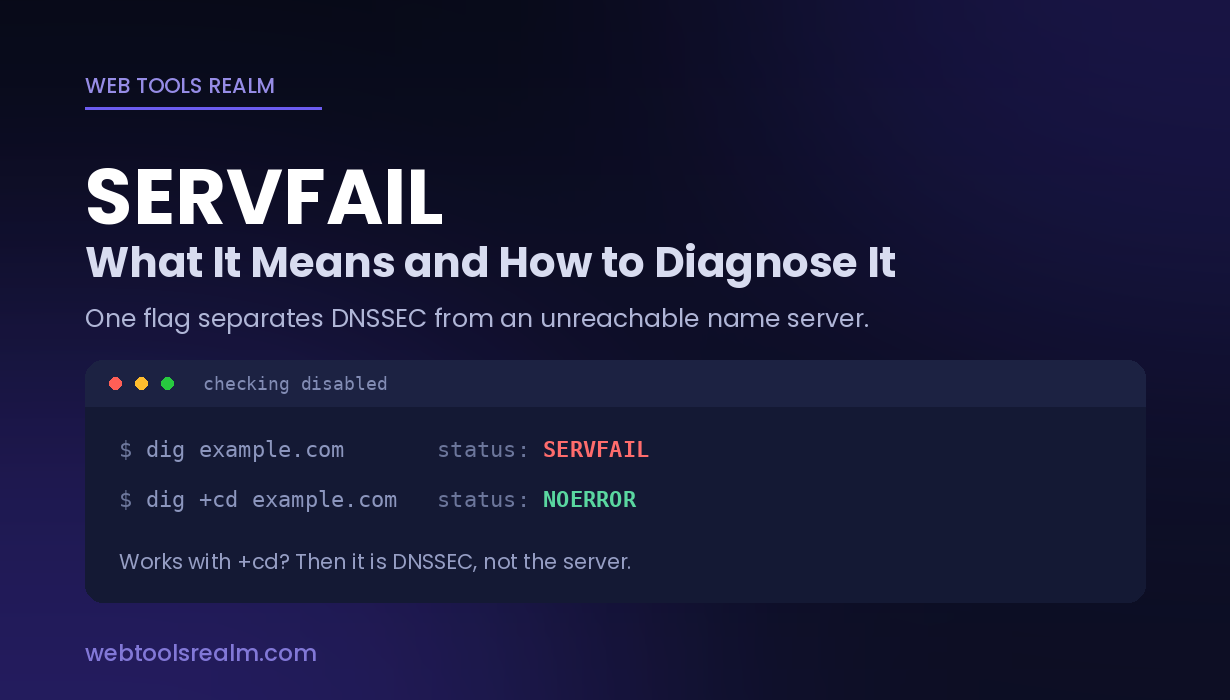
SERVFAIL means the resolver could not get a usable answer, not that the domain is missing. One dig flag separates a DNSSEC failure from an unreachable name server.
SERVFAIL is a DNS response code, and it is the least specific one you can get:
The resolver tried to answer your query and could not produce a valid result.
That is deliberately vague, because SERVFAIL covers everything from a broken cryptographic signature to a name server that is switched off. The domain probably exists. Something between you and the authoritative answer went wrong.
This makes SERVFAIL harder to diagnose than NXDOMAIN — but there is one command that splits the possibilities in half immediately, and most explanations never mention it.
Where You Will See It
dig example.com
;; ->>HEADER<<- opcode: QUERY, status: SERVFAIL, id: 18442nslookup example.com
** server can't find example.com: SERVFAILhost example.com
Host example.com not found: 2(SERVFAIL)
That 2 is the numeric code. NXDOMAIN is 3, SERVFAIL is 2, NOERROR is 0.
In browsers, it usually surfaces as DNS_PROBE_FINISHED_NXDOMAIN or ERR_NAME_NOT_RESOLVED — browsers collapse DNS failures into a single message, which is exactly why people end up diagnosing the wrong problem. The browser text does not tell you which response code came back. Only a direct query does.
The One Command That Narrows It Immediately
Run this:
dig +cd example.com
The +cd flag means checking disabled — it tells the resolver to skip DNSSEC validation and hand you whatever it gets.
- Works with +cd, fails without it → DNSSEC validation failure. The data is there; the signatures do not check out.
- Fails both ways → the resolver genuinely cannot reach or get a usable answer from the authoritative name servers
That single comparison eliminates roughly half the possible causes in one step. Do this before anything else.
What Actually Causes It
DNSSEC validation failure
The most common cause for domains that worked yesterday.
DNSSEC signs DNS records cryptographically. If the chain breaks — an expired signature, a DS record at the registry that no longer matches the zone’s key, a key rotation done incorrectly, or DNSSEC left enabled after a move to a provider that does not sign — validating resolvers refuse to serve the answer at all. Refusing is the correct behaviour: the alternative is serving data that may have been tampered with.
The signature is what gives this away. Those signatures carry expiry dates, so a zone that stops being re-signed breaks at a predictable moment, often without anyone touching anything. A domain that “broke overnight with no changes” is very often this.
Non-validating resolvers will still answer normally, which is why the domain can work for some people and not others.
The authoritative name servers are unreachable.
Nothing exotic — the servers are down, the host is offline, or a firewall is blocking port 53. The resolver asked, nothing usable came back, and it reports SERVFAIL.
Check which name servers the domain is delegated to with a DNS lookup, then query each one directly to see whether they answer at all.
Lame delegation
The parent zone points to name servers that do not actually host the zone. The servers are reachable and respond — they just have no authoritative data for this domain.
This happens after a migration where name servers were changed at one end but not the other, or where a hosting account was closed while the registrar still points at it.
Inconsistent name servers
A domain lists four name servers; two have the zone, two do not, or they hold different versions of it. Resolvers pick whichever they like, so the domain resolves intermittently — working, failing, working again, with no pattern anyone can reproduce.
Query each name server individually and compare. If they disagree, you have found it.
EDNS and packet size problems
Modern DNS responses — especially DNSSEC-signed ones — exceed the 512-byte limit of classic DNS, so EDNS allows larger UDP packets. Some firewalls and older middleboxes drop oversized UDP responses or block fragmented packets outright.
The symptom: small queries work, large ones fail. Test with a reduced buffer:
dig +bufsize=512 example.com
If that succeeds where the default fails, packet size is your problem rather than the DNS data.
Rate limiting
Authoritative servers implement Response Rate Limiting to blunt amplification attacks. Query hard enough from one address and you will be throttled, which surfaces as SERVFAIL. Uncommon in normal use, routine in automated testing.
A broken zone file
A syntax error, a missing SOA, or a CNAME where one is not permitted can leave a server unable to answer authoritatively for its own zone.
SERVFAIL vs NXDOMAIN
They point in opposite directions, and treating one as the other wastes hours.
SERVFAIL — no usable answer arrived. The domain probably exists. The problem is DNSSEC, the name servers, or the path to them.
NXDOMAIN — an authoritative server answered, and the answer was that the name does not exist. The problem is the name itself. NXDOMAIN explained covers that one.
The practical rule: NXDOMAIN is an answer you should believe. SERVFAIL means try again, against a different resolver, and look at the infrastructure.
How to Diagnose It, in Order
1. Run dig +cd. DNSSEC or not. This is the first step and it halves the problem.
2. Try a different resolver.
dig example.com @1.1.1.1
dig example.com @8.8.8.8
dig example.com @9.9.9.9
If some answer and others do not, you are almost certainly looking at DNSSEC — Cloudflare, Google and Quad9 all validate, but they cache independently, and a resolver holding a pre-breakage answer will keep serving it until that entry expires.
3. Find the delegated name servers and query each one.
dig NS example.com
dig example.com @ns1.provider.com
dig example.com @ns2.provider.com
All of them should give the same answer. Any that time out, refuse, or disagree is the fault.
4. Trace the delegation from the root.
dig +trace example.com
This walks root → TLD → authoritative, showing exactly which step fails. It is the fastest way to spot a lame delegation.
5. Test the packet size with +bufsize=512 if large responses are involved.
6. Check the domain’s registration. A WHOIS lookup shows the name servers the registry has on record and the domain’s status. If the registry’s name servers do not match the ones you expect, the delegation was never updated — and clientHold or serverHold explains a domain that vanished entirely.
If It Is DNSSEC — What to Do
You have two options, and the right one depends on whether you control the zone.
Fix the chain. Re-sign the zone, or correct the DS record at the registrar so it matches the key the zone actually publishes. This is the proper fix.
Remove DNSSEC. Delete the DS record at the registrar, wait for it to expire from caches, and the domain resolves again unsigned. This works, and it is the usual emergency measure, but it removes the protection entirely.
What you cannot do is tell other people’s resolvers to ignore the problem. Validation failing is them doing their job.
If you do not control the domain, there is nothing to fix on your end. Querying a non-validating resolver gets you through in the meantime, with the caveat that you are skipping the check that exists for a reason.
Frequently Asked Questions
What does SERVFAIL mean?
It is DNS response code 2, meaning the resolver could not produce a valid answer. It does not mean the domain is missing — it means something between the resolver and the authoritative data failed.
Is SERVFAIL the same as NXDOMAIN?
No. NXDOMAIN is an authoritative answer that the name does not exist. SERVFAIL means no usable answer came back at all. The domain in a SERVFAIL usually exists.
How do I know if SERVFAIL is a DNSSEC problem?
Run dig +cd example.com. If it succeeds with that flag and fails without it, DNSSEC validation is the cause.
Why does the domain work for some people and not others?
Because resolvers differ. Validating resolvers refuse to serve a domain with a broken signature chain; non-validating ones answer normally. Cached entries from before the breakage also keep working until they expire.
How long does SERVFAIL last after a fix?
Until the caches clear. Negative and failed results are cached for shorter periods than normal records, often a few minutes, but DS record changes at the registry can take hours to propagate.
Can I just turn DNSSEC off?
Yes — remove the DS record at your registrar and the domain resolves unsigned. It is the standard emergency measure. You lose the protection DNSSEC provides, so fixing the chain is better where there is time.
The Short Version
SERVFAIL means no usable answer arrived, not that the name is missing — which is the opposite of NXDOMAIN and leads people to troubleshoot the wrong thing. Start with dig +cd: if that works and a normal query does not, it is DNSSEC, and the fix is the DS record rather than anything in the zone. If both fail, query each delegated name server individually — one that times out, refuses, or disagrees with the others is your answer.
Contact
Missing something?
Feel free to request missing tools or give some feedback using our contact form.
Contact Us