How to Fix ERR_NAME_NOT_RESOLVED (What It Means and Why It Happens)
ERR_NAME_NOT_RESOLVED means your browser couldn't find a website's IP address. Learn how to tell if it's your device or the domain, plus fixes for Android, Windows and Mac.
You tap a link and Chrome shows "This site can't be reached" with ERR_NAME_NOT_RESOLVED underneath. On Android it often appears as "Webpage not available" with the same code.
The site may be perfectly fine. The error only tells you that your device couldn't find it.
What ERR_NAME_NOT_RESOLVED Means
ERR_NAME_NOT_RESOLVED means the browser asked a DNS server for the website's IP address and didn't get a usable answer. Without an IP address, the browser has nowhere to connect, so it stops before the page even starts loading.
The cause can be on your side (your phone, browser, Wi-Fi or DNS settings) or on the domain's side (an expired domain or missing DNS records). The first job is working out which.
ERR_NAME_NOT_RESOLVED vs DNS_PROBE_FINISHED_NXDOMAIN
Both errors mean the same basic thing: the domain name couldn't be turned into an IP address. The difference is how much Chrome checked before giving up.
ERR_NAME_NOT_RESOLVED is the basic error. You'll see it most often on Android, in other Chromium-based browsers, and in the developer console when a single image or script on a page fails to load.
DNS_PROBE_FINISHED_NXDOMAIN appears when desktop Chrome runs an extra DNS check and confirms the domain doesn't exist. If you're seeing that one, our DNS_PROBE_FINISHED_NXDOMAIN guide covers it in detail.
The fixes overlap, but the order you try them in is different, especially on phones.
Fix It on Android
1. Check Private DNS
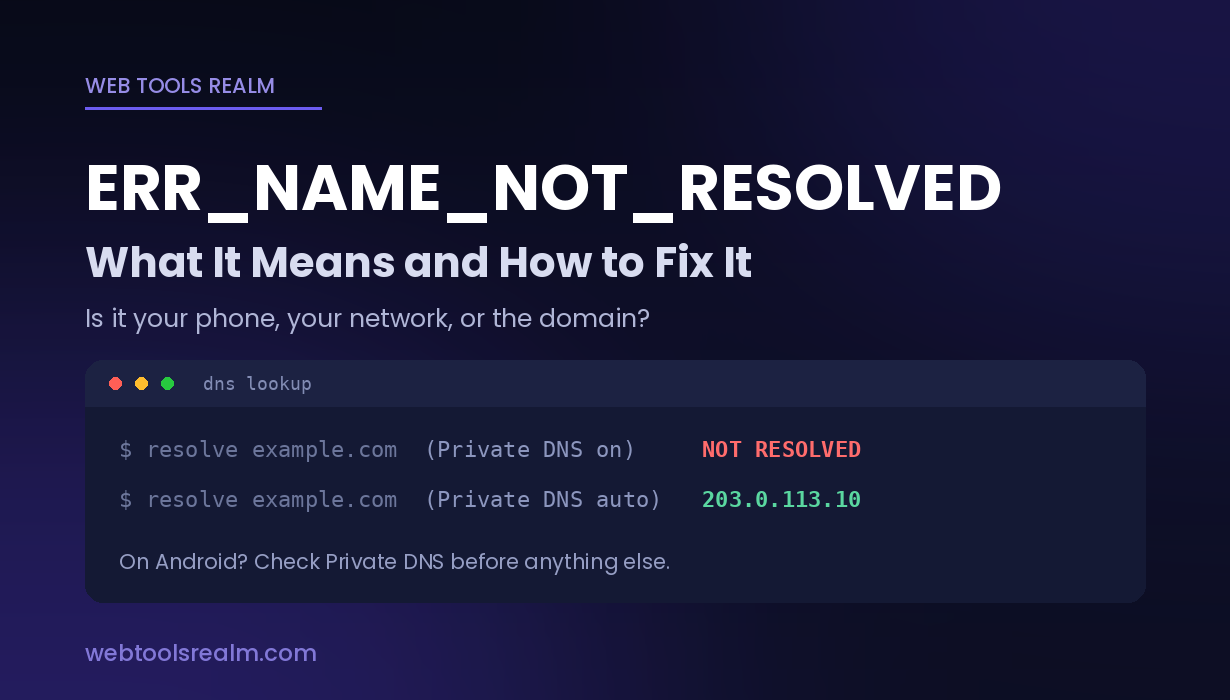
Android's Private DNS setting sends all your DNS lookups to one provider. If that provider is down, blocked by your network, or the hostname was typed wrong, every site fails with ERR_NAME_NOT_RESOLVED.
Go to Settings, then Network & internet (or Connections), then Private DNS. Choose Automatic, or Off to test. If sites start loading, the Private DNS provider was the problem.
2. Switch between Wi-Fi and mobile data
If the site works on one and not the other, the problem is the network that fails, usually the Wi-Fi router's DNS or a filter on that network.
3. Clear Chrome's cache for the site
In Chrome, tap the three dots, then Settings, then Site settings, then All sites. Find the site and clear its data. You can also clear Chrome's cached images and files from Privacy and security, then Delete browsing data.
4. Turn off VPN and ad-blocking apps
VPNs, ad blockers and "DNS changer" apps often handle DNS themselves. Turn them off for a moment and reload.
5. Restart the phone
A restart clears the phone's DNS cache and resets the network connection.
Fix It on Windows and Mac
1. Flush the DNS cache
On Windows, open Command Prompt and run:
ipconfig /flushdns
On a Mac, open Terminal and run:
sudo dscacheutil -flushcache; sudo killall -HUP mDNSResponder
2. Clear Chrome's own DNS cache
Chrome keeps a separate cache. Go to chrome://net-internals/#dns and click "Clear host cache."
3. Change your DNS server
Set your network adapter's DNS to Google (8.8.8.8 and 8.8.4.4) or Cloudflare (1.1.1.1 and 1.0.0.1). If sites start loading, your internet provider's DNS was failing.
4. Check the hosts file
The hosts file can override DNS for specific domains. On Windows it's at C:\Windows\System32\drivers\etc\hosts, and on Mac at /etc/hosts. Look for any line containing the domain you're trying to open and remove it.
5. Restart your router
Routers cache DNS answers too. Unplug it for 30 seconds, plug it back in, and try again.
If the Site Fails Everywhere: Check the Domain
If the site won't load on any device or network, the problem is the domain's DNS, not you.
Run the domain through a DNS lookup. If it returns no A record, the domain has no IP address to point to. If it returns NXDOMAIN, the domain doesn't exist in DNS at all.
Then check the domain's WHOIS record. A status of clientHold, serverHold or redemptionPeriod means the domain has been suspended or has expired, and no DNS fix will help until it's renewed.
If It's Your Own Website
- Confirm the domain is renewed and active with your registrar.
- Check that the nameservers at your registrar match your hosting or Cloudflare account.
- Make sure an A record (or a CNAME for www) exists and points to your server.
- If you changed nameservers or records recently, wait for DNS propagation. It can take a few hours.
Frequently Asked Questions
Is ERR_NAME_NOT_RESOLVED a virus?
Almost never. It's a DNS lookup failure. Malware can change DNS settings or the hosts file, so if the error appears on every site and the fixes above don't help, run a security scan.
Why does ERR_NAME_NOT_RESOLVED only happen on my phone?
Usually the Private DNS setting, a VPN app, or the phone's Wi-Fi DNS settings. Check Private DNS first, then try mobile data instead of Wi-Fi.
Why does it happen only on one website?
Either that domain has a DNS problem, or your device has an old cached answer for it. If the site loads on another network, clear your caches. If it fails everywhere, the domain itself is the problem.
Can a wrong date and time cause this error?
Not directly, but a wrong clock can break secure DNS (DNS over HTTPS). Set the date and time to automatic.
What is the difference between ERR_NAME_NOT_RESOLVED and ERR_CONNECTION_REFUSED?
ERR_NAME_NOT_RESOLVED means the browser couldn't find the server's address. ERR_CONNECTION_REFUSED means it found the server, but the server rejected the connection.
The Short Version
Open the same site on a different network, for example on mobile data instead of Wi-Fi. If it loads there, the problem is your device or network, and the fixes below will solve it. If it fails everywhere, the domain itself has a DNS problem, and only the site owner can fix it.
On Android phones, the most common cause is the Private DNS setting. Set it to Automatic or Off and try again.
Written by Baleeghuddin Shaikh, SEO consultant with 8 years of experience in technical SEO and site diagnostics.
Contact
Missing something?
Feel free to request missing tools or give some feedback using our contact form.
Contact Us